 you will find 6 categories of facilities:
Return to The Definitive RCT Reference Guide homepage
Under the "Build New Ride/Attraction" icon you will find 6 categories of facilities:
 Transport Rides (4)
 Gentle Rides (16)
 Roller Coasters (25)
 Thrill Rides (10)
 Water Rides (8)
 Shops & Stalls (20)
Rides (excluding Shops & Stalls) are the main reason Guests come to the park, and variety is the keyword in building rides {m}. Some rides have variants (different vehicles and/or operation modes). The maximum number of rides (including Shops & Stalls) that a park can contain is 255. Take into account that the "spirt of the game" is to create an esthetic park, rather than an ugly super optimized one.
Each ride has its own limits as to how high its supports can reach, but remember that land can be raised if a support is too short. The game map itself has fixed height and depth limits. The highest the base of any object can possibly be raised to in the game is 63 height marks above the zero datum (often objects will be limited to a much lower base height, as no graphics are allowed above 64 height marks). Nor can any object be lowered beneath the zero datum. When putting ride station buildings in the sky, remember that land can only be raised to 30 height marks, and paths can only be raised to 14 height marks above land (plus one upward sloping walkway).
The game prefers that you mentally visualize the park as being divided into approximately three to seven segments, and then place at least one Food, Drink, and Bathroom stall into each. Besides being an efficient layout for servicing your guests "needs", it helps in earning Awards. Although you can group all three stall types together, you can alternatively place the Food and Drink stalls in the middle of each park segment, with the Bathroom shared between two segments on the segment dividing boundary. There is no game requirement, but it can be visually interesting if you theme (and demarcate with name banners) these segments differently.
Ticket prices affect the popularity of a ride and, therefore, the attitudes of your guests {m}. Ride profitability can be easily viewed in the Rides Info window. Bear in mind that Guests carry only a limited amount of money. If your Park Entrance Fee gets too close to the lowest average amount brought in by guests, they either won't enter your park, or will enter and complain that everything costs too much {s}. At a satisfaction rating of 50% or less, the guests considering a ride will start exhibiting price resistance. If guests complain that a ride is not a good value or that they can't afford to go on it (or complain that "I'm not paying that much to go on _____"), consider lowering the price of admission {m}. If there are plenty of riders but you are still not making a profit, consider raising the admission price {m} ($100 is the maximum you can charge for the Park Entrance Fee). A Ride Satisfaction Rating somewhere around 70%, is a good compromise between ride profits and guests percieved value.
Park Entrance Fees and Attraction Ticket Prices affect each other. If the Park Entrance Fee is high, guests will decide to enter based on the Park Rating {m} (so when first starting a park, you will probably have to keep the Entrance Fee low {s}). If an Entrance Fee is high, the guest then expects low (or non-existant) Attraction Ticket Prices {m}. Conversly, if there is is no Park Entrance Fee, they're willing to pay premium Attraction Ticket Prices {m}. It is a good idea therefore when initially starting a park, to set the Park Entrance Fee at $10 {s}. This is because even if your park features just a barren field, an occational Guest will pay this amount just to walk through the gates {s}. [NOTE: In some Scenarios (such as ALL the Loopy Landscapes scenarios) it is not possible to charge an admission price.] Few Guests will think twice about paying $10 to enter a medium sized park (and then still go on to pay perhaps an additional $35 on rides and food), and on average, Guests tend not to complain too much about paying even $15 to $20 {s}. If the guests comment that the Park Entrance Fee is low, you should imediately raise the price by $10 {s}. Typically, you can raise the Park Entrance Fee by $5 for every FIVE Gentle or Thrill Rides you add to the park (by $10 for each Roller Coaster) {s}. Once you have secured $30,000, there is little need to further increase prices (and you may even want to drop prices to increase attendence) {s}.
Newly built and opened rides will attract more guests than one that has been running and available for a couple of years (so open new rides every now and then to prevent you park from becoming "stale") {m}. Even the most boring New ride will be patronized if you set the price to $0.70. Note that a game "year" is measured as one park season - that's the eight months from March through October. Altering the colors, or changing the cars, can help to increase interest in an older ride {s}. Lowing the admission price as a ride ages will help for a time to keep patronage up (lower prices are more satisfying) {m}. If unsure how much to lower a rides price, experiment with $0.30 increments. Marketing Campaigns have a considerable effect on your park. If the admission price is very low, but patronage is still low, consider a Marketing Campaign to temporarily increase patronage {m}. Be aware that eventually it may make sense to dismantle an aging attraction that guests have lost interest in visiting and/or starts breaking down too much {m}.
Guests don't just wander around aimlessly, but have a small awareness of rides that enter their vicintity (the awareness zone is about ten tiles distant) from which they might choose their next ride. This is what all the hints in the manual are referring to when they talk about guests learning about the other rides in your park while riding on a slower moving ride (a ride which moves into a guests awareness zone while on this ride might be chosen as the next ride they wish to ride on). Guests tend to prioritise heading to rides which have a higher Excitement rating. Interestingly they will also prioritise heading for lower Excitement rides which are taller in relation to their elevation (so put that Haunted House on a hill), yet apparently the act of actually moving higher while on such a ride (such as riding on a tall Observation Tower) does not increase the guests siting distance. Once the guest has a park map, he will now be aware of all the rides in the park (not just those in his vicintity), will have a high chance of choosing to head for a ride instead of just wandering, and may choose to head to a ride anywhere in the park. Note that just because a guest will head for a rides entrance, it does not mean that the guest will actually enter the ride (due to cost, Intensity, etcetera).
All rides have an Excitement, Intensity, and Nausea statistic which affects guests. The ranges are broadly classified as:
Low (0.0 - 2.5); Medium (2.6 - 5.0); High (5.1 - 7.6); Very High (7.7 - 10.1); Extreme (10.2 - 12.7); and Ultra-Extreme (12.8 +).
Tip: Build all of your custom rides so that the Excitement number falls at least into the Medium range.
The higher the Excitement of a ride, the more you can successfully charge for admission to the ride, and the more popular the ride will be with your guests {m}. The overall speed of the ride, its pacing, the look of it from the outside [not true], nearby Scenery, the view from the ride [not true], and the nearness of external objects (including footpaths and other rides); all affect Excitement {m}. Novelty (ride age) also affects Excitement {m} (newer rides have more Novelty value). It is important to note that the Guest comment that "I want to go on something more exciting than _" is actually referring to ride Intensity
Be aware that a guest will only consider a ride as being a "Favorite ride in the park so far" contender (their favorite ride is listed in their stats window) if they had a Happiness level of 161 or more at the time they boarded the ride (a target you should try to achieve in all your guests all of the time). Of the rides that the guest will rate (the games formula is actually quite complex), the ride that had a higher Excitement rating will tend to score as their favorite ride. Ultimately though this stat is irrelevant, as the game doesn't use it for anything.
Here is a summary of using paths to increase a coaster's Excitement rating.
Here is a summary of what makes an Exciting Flat Ride.
Note: The Official RCT Strategy Guide hints when discussing the River Rapids ride that a Guest requires time to gain the Excitement benefit of viewing nearby scenery objects (it suggests that Guests moving over 10mph are traveling too fast to gain any personal Excitement boosting benefit from passing a scenery object). This is probably due to the update speed at which internal game Guest polling is occuring. The takeaway is that for maximizing passenger satisfaction (which is more than just the Rides E-I-N), slower rides should focus on offering passengers lots of viewable scenery, while faster rides should instead focus mostly on track element thrills.
A rides Intensity depends on all the forces, accelerations, changes of directon, inversions, and speed experienced by a rider over the course of the track {m}. A guests choice as to whether they will use the ride is primarily dependent on the rides Intensity rating (not popularity). Increasing Intensity on a ride will often increase Excitement (but watch out for an increase in Nausea as well). If Intensity becomes Extreme however, Excitement will drop to Low due to guests becoming banged and bruised. Try to keep vertical g-forces between +4.0 and -3.0 (although riders can tolerate an occasional brief higher burst) {s}. Intensity appeals to some guests, but not all of them {m}, so intersperse some wimpy rides with your intense rides. Cluster a few Gentle Rides near the front entrance, then evenly space them throughout the remainder of the park {s}. Place a few Thrill Rides between your Gentle Rides and your Coasters {s}. Guests will become frustrated if they have to walk a long distance to find a ride that meets their Intensity preference. Guests also need an opportunity to 'build-up' to the more Intense rides {s}. Roller Coasters draw the majority of your guests to your park, and bring in the most money; so place them at the back of the park so Guests must walk past everything in the front of your park to get to that Coaster they came to ride {s}.
Nausea has a strong influence on how your guests feel (physically) during and after the ride, and also on whether or not they'll choose to ride it in the first place {m}. Spinning rides tend to have high nausea ratings, and the more turns (especially sharp ones) and inversions you include, the worse it gets {m}. Try to keep lateral g-forces under +2.5 (preferably under +2.0) {s}. A Nausea Rating of 6.05 will make all but the most stable of stomachs give up thier contents {s}. The strategy guide suggests that you place Benches, Bathroom, and Litter Bins near the exit of Thrill Rides, for the convenience of riders with weaker constitutions {s}. However in the game, Bathrooms and Litter Bins are ignored by guests for the purpose of nausea reduction. Only the Benches will be used by guests to specifically help alleviate their nausea. A bench should be placed on the very first level tile outside the ride exit, as the further from the exit the more likely they are to vomit rather than sit (so only 1-3 bench tiles here are sufficient for most rides). Guests exiting a ride who still have food may also use these benches to finish their meal, so even low nausea rides can be given one ride exit bench tile. Also with
Designing a ride to keep Nausea lower is important, as a Guest who comments that "Just looking at _ makes me feel sick" will refuse to ride the ride, regardless of whether it is within their preferred Intensity rating. However, higher Nausea ratings are not always a deal breaker. If a guest becomes nauseas it is true that there may be a delay before they choose to use another ride or shop/stall, but vomiting has no afterwards effect on a guests willingness to stay in the park, spend money, or ride another ride. Guests do comment negatively when encountering vomit though, so high nausea rides should have a Handyman patrolling at the rides exit to quickly sweep away any vomit from the footpaths, especially if food was sold nearby the ride entrance (remember that you can select food stalls so that less filling food is sold near rides).
Note: There is a game glitch where vomit will occasionally appear in a queue line, typically at the border between a queue tile and a footpath tile. Handymen will not clean this vomit, so if seen, just replace the path tiles.
Here is a discussion about interpreting E-I-N numbers for tracked rides.
Factors influencing Excitement include: speed of ride, pacing, look of ride from inside and outside, nearness of external objects to riders, surprises for the riders, and variety {s}. Many guests prefer High Excitement {s}.
Factors influencing Intensidy include: vertical g-forces, acceleration, changes in direction, inversions, speed, changes in elevation, perception of danger {s}. Many guests prefer High (to Very High) Intensity {s}.
Factors influencing Nausea include: spinning, sharp turns, high lateral g-forces, many inversions, excessive side-to-side movement {s}. Many guests prefer Low (to Medium) Nausea {s}.
In order to switch from a rising track to a dropping track, you must have at least one piece of level-transition track in the middle {m}. There is a limit to how high above the land you can safely raise track using supports {m}. You cannot build track underground unless you prepare the land for it {m}. You cannot have the track cross itself at the same level {m}. Track can be run under or over existing track, provided there is enough vertical clearance for the cars to pass through {m}. Weirdly, gravity rides (roller coasters) will travel on their own accord around a completely flat circuit at 4mph!
In general, shorter rides tend to be more conducive to longer trains, while longer rides are better served by shorter, but more frequent, trains. Station leaving triggers can be adjusted to prevent train bunching, as well as to keep lightly frequented rides moving. Coloring trains differently is a helpful visual aid while making adjustments, and also has a side benefit of very slightly (along with ride music) improving park satisfaction. It is easy to make ride queue lengths too long, so with a full queue check the normally operating ride to see if there are any "I've been standing in line for _ for ages" guest thoughts, and then shorten the queue to eliminate them. Far better to have a few less guests waiting in line then to have an angry guest abandon the queue.
It is important to keep ride duration under 6 minutes or guests will start complaining about wanting to get off the ride (timer starts from the moment a guest leaves the Entrance portal, so waits in a vehicle before getting a "green light" to leave the station adds to total ride duration). Even if the ride has a full load, the cars will not leave the station until the "Minimum Wait" time has elapsed {m}. Also, its a good idea to have an empty station when a returning train arrives, just in case the returning trains brakes fail {s}. To keep traffic moving through a ride; experiment with setting the ride to "wait for any load", and the minimum wait time according to the formula:
Min Wait Time = Ride duration / (Vehicles on Ride - 1)
Time is actually calculated quite strangely in RCT, as this study of RCT time reveals. For example, game time is too fast when compared to a coaster train's reported miles per hour.
A stations buildings/platform are treated as a unit, and can be styled as: Abstract; Canvas Tent; Castle (brown); Castle (grey); Classical/Roman; Jungle; Log Cabin; Pagoda; Plain; Snow/Ice; Space; and Wooden. You are never charged for adding Entrance and Exit buildings {m}. The Canvas Tent, Plain, and Wooden stations are always available, while the others are associated with a supplemental scenery theme. Tile Edge scenery objects can be placed alongside station buildings and platforms. All stations in a rides track circuit will receive the same station style (an esthetic consideration with
On the footpath tile abutting the entrance to a ride queue, ride entrance building without a queue, or novelty shop entrance, do not place benches or litter bins. This is because guests may use these objects instead of the ride/stall. More importantly, this footpath tile must only have 1 entrance queue/building connected to it. To maximize potential users, rather than placing the entrance on the sides of the tile (in reference to passing traffic flow), place the entrance at the end of the tile facing down the footpath, so guests will walk straight into it.
A train to be loaded, whether consisting of just one car or several cars connected together, must be contained entirely within station platform tiles. Only empty trains with their front at the 'stoplight' will allow passengers to leave the Entrance building for loading. Passengers will randomly walk to an unfilled car, but will only enter a double seat car in pairs. Any extra passenger will be held at the Entrance for the next train, and will still be considered as being within the Queue Line (and thus may turn around a leave if the wait is too long). Trains can leave a station without all cars being filled. The player has considerable control over what triggers a train to leave a station. Tip: Always set a Maximum waiting time on all rides, even if you adjust car load, so that you don't leave boarded riders stranded (90 seconds is a good default).
All passengers will always unload at the next station (an important consideration for
Platforms for each station (maximum possible number of stations is four) in a
Having a Mechanic service one station on a multistation ride is not sufficient. Breakdowns are station specific, so Mechanics must be able to service all stations on the ride. This means that all Exit buildings must have at least one footpath tile connecting, so that a Mechanic could be stationed. Broken rides cannot be modified until they are fixed. While freerange Mechancics can reach any station Exit building in your park that is cconnected to the Mechanic via a footpath, if you set a patrol area for your Mechanic, remember that the patrol area must include the Exit building itself. This is such an important consideration, that you should take patrol areas into account when initially planning ride placement. As not all rides require the same amount of a Mechanics attention, set (and regularly update) each rides inspection settings accordingly. However, if you can afford it, set all rides to a 10 minute inspection interval, and station an inspection/repair mechanic at each ride (two rides with very close exits could sometimes share a mechanic).
In the rides control panel, the Green button starts the ride, the Yellow button tests the ride, and the Red button stops the ride (inertia from gravity will keep any moving trains rolling until they reach a stopping place). Double clicking the Red button will reset the trains to their initial starting positions. Only stopped rides can be modified. Testing puts wear and tear on rides, and they can break during testing (but testing is necessary, both to establish empty train ride statistics by running the ride for one full cycle, and to attract the initial Guests onto the ride). All the buttons are disabled (and the ride stopped) until a breakdown is cleared. Once fixed, the Mechanic will restart the ride with whatever settings (Green/Yellow/Synchonized/etc.) were formerly active.
Although temperature has no effect on a guests willingness to ride a Water Ride, the strategy guide suggests that your guests will flock to Water Rides during the summer months {s}. Milder Water Rides also provide an opportunity to showcase exciting parts of your park {s}.
Adding
As a ride ages, the Profit usually goes down (due to older rides having less Novelty appeal), Reliability decreases (due to the older equipment experiencing more mechanical breakdowns), and Down Time goes up (due to the quantity of breakdowns). 20 years is effectively the limit for Gentle rides. Marketing, pricing, and refurbishment can boost profitability, while decreasing the time between ride inspections and limiting a Mechanics patrol area to the Exit of a single ride will reduce Down Time. Rides with Down Time exceeding 25% are candidates for replacement {s}. Note that if you demolish a ride, guests will loose any on-ride photos from that ride that they may be carrying (so as a sleazy trick you can put a camera on a ride you will soon be demolishing, so guests will have to buy some other photo after demolition).
If you remove a piece of construction (natural objects such as trees are not "construction"), you will recover some of the items original construction costs. More recent construction will give a higher return than older construction - and a ride that was never "opened" (and thus has not aged) will often get a full refund for the cost of building {m}. Note that a ride which was never opened but which had undergone an excessive amount of testing might not receive a full refund. You can (and should) save your ride designs, even of rides that go underground or have tunnels. Only tested rides can be saved! Take multiple screensots of your station building placements and important scenery for later reference. When you select a ride design, it can only be placed above ground (so you may have to raise a portion of land first if your maximum support height would be exceeded). So what you must do is build trenches to the depth, or lower, than the level of the underground track (take notes of each land tiles height/shape/color and any scenery/water/path resting on the land tile), place the ride, delete the underground track segments (take notes), raise the land tiles back to their original heights/shapes (if you cannot reach into the trench, expand the land tool before pulling up the land), then replace the deleted track segments.
Only rides that have the option checkbox for synchonization can be departure synchonized, and it is possible to synchonize some entirely different ride types together. When synchronizing rides, all the synchronized rides must have the same number of stations in their circuit. This is so that trains can be released through meetup, as (regardless if the boxes are checked) synchronization overrides the Maximum waiting time, Minimum waiting time, and Leave if another train arrives settings. Distance or ride time between stations for synchronized rides do not have to be identical (early trains will wait for their counterparts arrival, but the loaded passengers will treat any imposed wait time negatively as a part of their overall ride time).
If you desire to have a rides departures synchonized, each sequential station in all the synchonized rides circuits must have their 'stoplight' platform tile side touching a corresponding sequential stations 'stoplight' platform tile side (e.g., all first stations must together touch, all second stations must together touch, etc.). Synchronization is applied to all abutting 'stoplight' platforms as a single unit, but individual abutting rides can be opted out at any time and function independently (a broken or manually stopped ride is automatically opted out for the duration, and obviously a non-synchronizable ride will always be). Travel direction of an abutting 'stoplight' platform tile does not matter. The only factor limiting the number of abutting rides that can be synchronized is the physical issue of having space for station building placement (station approach tracks on abutting rides can use the 3rd dimension to increase clearance). Synchronized rides may have unequal station lengths, or train lengths, or even number of trains, and may each have their own different station style, or car type, or paint scheme.
Covered rides are popular when its raining {m}. However guests who desire to
Covering things over does take much of the fun away from players, as it hides objects from view. A better esthetic solution may be to use naturally covered rides.
The following rides are by nature automatically considered "covered" (and good choices for Scenarios with a lot of wet weather):
Crashes are bad. Crashes will happen when either a car/train leaves its ride track and hits a surface, or two cars/trains bump into each other at a high enough speed (thus certain ride types are immune). The result is an "explosion", which will "kill" any guests involved (note that it is possible that there were no guests on the car/train involved). The ride will close automatically, and any guest in the queue will leave. As a notice to the player, an explosion sound will be heard, and the game view will immediately shift to the site of the crash (where fire and smoke will be seen).
A crash causes the ride to be saddled with a Crash History that lasts for 4 months. If the crash caused no injuries, the ride will nonetheless still experience a massive drop in Popularity for the duration of the Crash History. Afterwards guests will forget about the accident, and popularity will return to its previous level. If the ride had fatalities, for the duration of the Crash History most guests will refuse to ride the unsafe ride. Also the Parks Rating will experience an immediate severe decrease, resulting in far more guests than normal leaving the park, and fewer guests entering.
Crashes can be caused by poor ride design, and/or as a consequence of a breakdown. Assigning a Mechanic to inspect the ride every 10 minutes (he needs to have access from a footpath to the ride Exit building and station platform) will keep breakdown possibility at a minimum. Bumping cars/trains will only crash when the combined impact speed exceeds 30mph. Adding extra braking into the track design will not provide any extra safety, because "Station" Brakes Failure is a misnomer (every brake on your ride has failed). Therefore try to design your ride so that trains will naturally be entering a station occupied by another train slowly (such as perhaps via a rise leading up into the station). Bear in mind that passenger weight affects speed, which may cause cars/trains to run at a different speed then when you tested the ride empty.
Cars/trains will only leave the end of an open tail track if the vehicle speed exceeds the gravity/friction retardation being exerted by the track on the vehicle to stop its progress (so be vigilant about not setting Powered Launch speeds too high). Vehicles not "locked" (unattached) to the track are especially vulnerable to leaving the track on curves and vertical curves (i.e., start of drop and crest of hill), when exceeding the speeds of:
Included with the original game and corkscrew follies are a number of pre-built example rides:
Bobsled RC = Big Bob, Mini Bob.
Car Ride = Mini Cars.
Go Karts = Figure 8 Track, Mega Track.
Hedge Maze = Mini Maze, Spiral Maze.
Inverted RC = Danglefeet.
Log Flume = Logger's Revenge.
Mine Train RC = Manic Miner.
Reverse Whoa Belly RC = Force 9.
River Rapids = Ropey Rapids.
Steel Corkscrew RC = Boomerang, Corkscrew.
Steel Mini RC = Crazy Caterpillar, Raging Rocket.
Steel RC = Exterminator, Fizzly, Shuttle Loop.
Single-Rail RC = Steeplechase.
Stand-Up Steel RC = Red Baron, Venom Rail.
Suspended RC = Flight of the Phoenix.
Suspended Single-Rail RC = Batflyer.
Vertical RC = Big 90.
Wooden Crazy Rodent RC = Crazy Vole, Mini Miner. Caution: Crazy Vole is subject to crashing
Wooden RC = Mischief, Woodchip.
Water Slide = Demon Drop.
Cycle Monorail = Cycle Monorail 1.
Flying RC = Flying Coaster 1, Flying Coaster 2.
Heartline Twister RC = Heartline Twister 1.
Steel Twister RC = Steel Twister 1.
Steel Wild Mouse RC = Steel Mouse 1, Steel Mouse 2.
Side-Friction RC = Side Friction 1, Side Friction 2.
Virginia Reel RC = Virginia Reel 1, Virginia Reel 2, Virginia Reel 3.
Wooden Reverser RC = Reverser Coaster 1.
Wooden Twister RC = Wood Twister 1, Wood Twister 2.
Chris Sawyer did not offer track examples for every tracked ride in the Original and Corkscrew Follies games, nor did he offer any track examples in Loopy Landscapes. Track examples are an excellent reference for a person attempting to build a ride type for the first time, so I offer these simple compact pre-built tracks to fill the missing example gap:
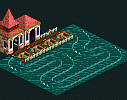 Boat Hire =
  Cracker Jack.
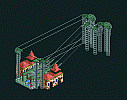 Chairlifts = Sky Chaise.
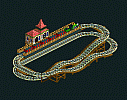 Miniature Railroad = Little Toot.
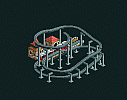 Monorail = Mondorail.
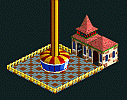 Observation Tower = Space Needle.
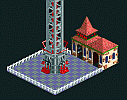 Whoa Belly = Cape Canaveral.
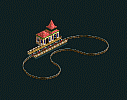 Cycle Railway = CyCleTram.
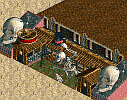 Ghost Train = Sally (from "How to build an effective Ghost Train").
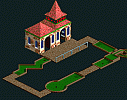 Miniature Golf = Putt-Putt-Putt.
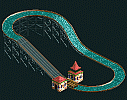 River Ride = Splashdown.
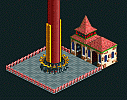 Roto-Drop = Freefall.
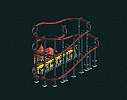 Suspended Monorail = Cradle Fall.
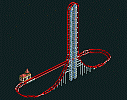 Air Powered Vertical Roller Coaster = Camelback.
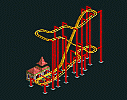 Inverted Wild Mouse Roller Coaster = Flader Maus.
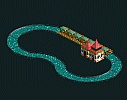 Raft Ride = Huck Finn.
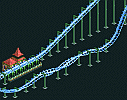 Suspended Looping Roller Coaster = Hang Time.
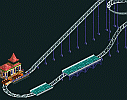 Water Coaster = Down the Drain.
To be accessible, all Track Files must be stored in the "Tracks" directory. Files ending with "TD4" are tracks. Files ending with "TP4" are pictures. Note that tracks do not have to have associated pictures, but a picture must have the exact same name as the track file to be associated with it.
The game was designed so that Fans could create and trade "Track" files amongst themselves. Only rides that form a complete circuit can be saved. There is also a limitation on the size of a ride that can be saved (so if you have a ride such as a "transport ride" that travels all over your park, you may not be able to save it). Unfortunatly, saved tracks can only be placed ON TOP of terrain. Therefore if you designed a ride that passes through terrain, you will have to first excavate land before placing the ride. Then after placing the ride you will have to demolish the part of the track that goes through the excavated terrain, raise the land appropriately, and then rebuild the missing track pieces through the newly raised land.
This "RCT Track Decoder" utility will ease the process of working with saved Track files. The utility creates a listing of each section of ride track, which you can save as a text file to refer to when rebuilding rides to penetrate terrain. It also has a handy "mirroring" feature which will create a mirror image TD4 file of the file you have opened.
Unfortunately, RCT does not provide a mechanism to create TP4 files for your own personally created TD4 Track files. This "MakeTP4" utility allows you to add pictures of your saved Track files. To use the utility, first make a "screenshot" of your saved ride (changing the zoom ratio and/or screen resolution will affect the amount of ride visible), ideally showing a clear view of the station. Next exit the game and launch the MakeTP4 utility. Select the screenshot (which saves as a PCX file into the same directory that contains your "rct.exe" file), and position the fixed sized cropping frame over the portion of the screenshot you wish to save as a "TP4" file. It is suggested that you include in the frame the station entrance and exit, so you can see exactly where you placed them (with the exception of the "Hedge Maze", when you save a Track file, the entrances and exits are not saved along with it). Finally, create a name for the saved "TP4" file that exactly matches the name of your saved Track file (so the "TP4" file will appear in the selection box associated with your saved Track file).
Most graphics viewing programs will not understand the TP4 image format. This "TP4toBMP" utility will create a conventional BMP format file of the TP4 file, which you can then view or manipulate with your favorite graphics program.